Data Transformation
When you import API data into Notion, you often need to transform it first. Note API Connector provides two editors: JMESPath and JSONata. Both can filter and reshape JSON, but they serve slightly different purposes.
Transform data with AI builds the transformation for you from a plain-English description.
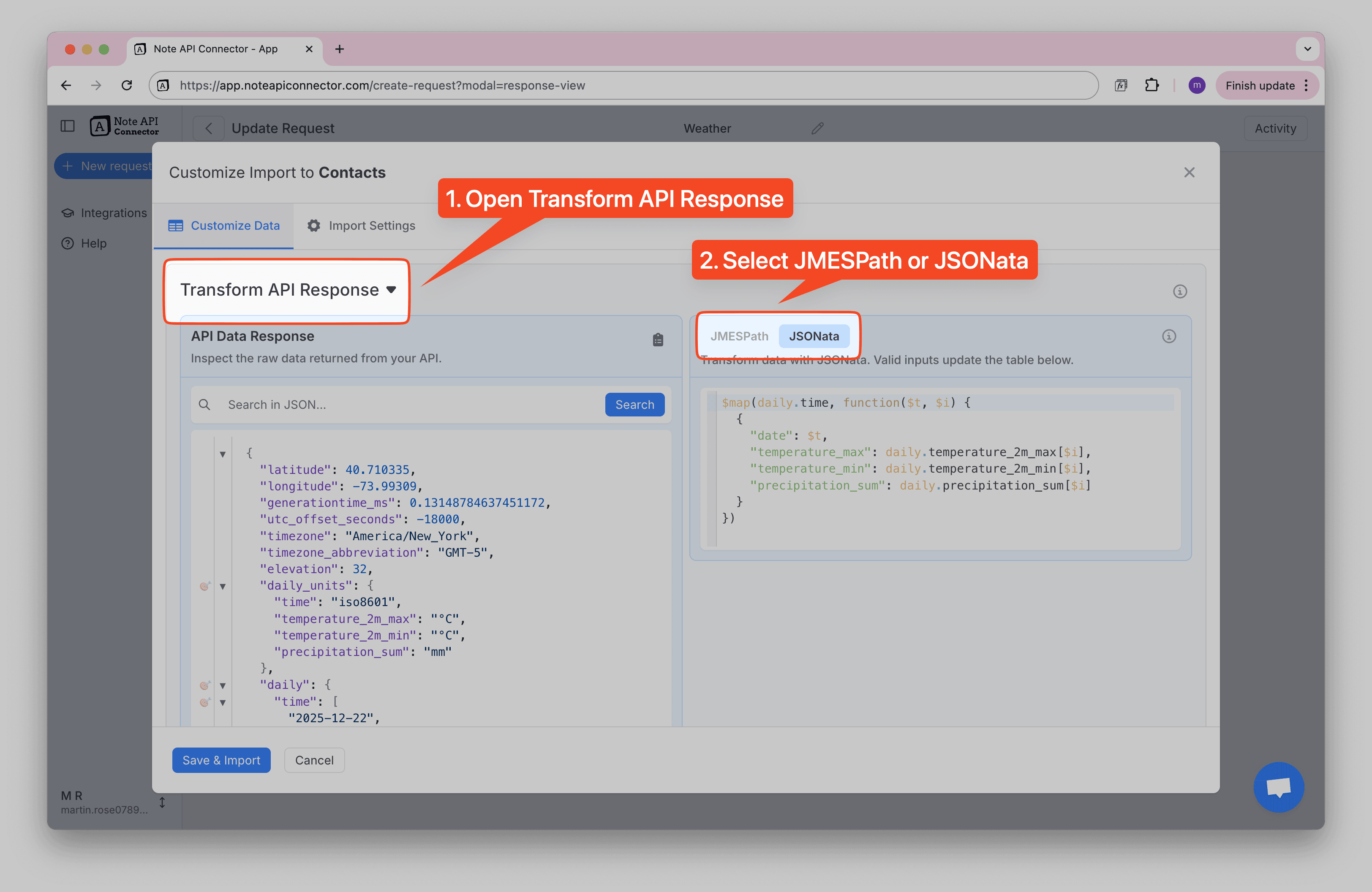
Getting Started: How to Access the Transform Editors
Before you can use JMESPath or JSONata, you'll need to open the transformation panel:
-
Open Transform API Response — Click the Transform API Response on the left side. This reveals the raw JSON data returned by your API.
-
Select JMESPath or JSONata — On the right side, you'll see two tabs: JMESPath and JSONata. Click the one you want to use. Your transformation code goes here, and the results update automatically in the preview table below.
JMESPath: Best for Quick Filtering & Selecting
JMESPath is a query language for JSON. It’s lightweight and great when you want to:
- Keep only certain fields (e.g.
id,name). - Rename fields for readability.
- Filter data based on conditions (
price > 50). - Extract deeply nested values.
- Select which array to process when there are multiple.
📌 Think of JMESPath as your go-to tool for slicing and dicing JSON quickly. It’s straightforward and works well for simple data shaping.
JSONata: Best for Calculations & Enrichments
JSONata does everything JMESPath does, plus extra power:
- 🔽 Flatten nested arrays (e.g. orders → line-item rows while keeping order/customer info)
- 🗂️ Spread dynamic key/value fields into columns (e.g.
{ "key": "plan", "value": "Pro" }→plan: "Pro") - 🧹 Normalize inconsistent units or strings (e.g.
1.4 kgvs173 g) - 📅 Convert epoch timestamps into ISO date strings for Notion date fields
- 🛠️ Ensure stable schemas by setting defaults for missing fields
- 📊 Perform calculations and aggregations (sum, count, average) when needed
📌 Think of JSONata as a data transformation toolkit when you need to go beyond filtering.
How to Choose
- ✅ Use JMESPath if you just need to pick, rename, or filter fields.
- ✅ Use JSONata if you need to calculate, transform text, or restructure data.
- 💡 Many workflows start with JMESPath for simple filtering and then move to JSONata as needs grow.